
FOP tax return accepted but no accrual in the DPS e-Cabinet: what to check
Why a Ukrainian FOP return may be accepted while no accrual appears in the DPS e-Cabinet: receipts, IKP date, period, tax card, overpayment, and escalation.
In short: accepted does not mean accrued today
A positive receipt No. 2 confirms that the DPS accepted or registered an electronic document. It does not mean the declared amount must appear in the integrated taxpayer card, or IKP, on the same day. These are separate stages: the return is accepted first, and its figures are then posted to operational accounting.
For timely reporting, the figures are generally posted to the IKP on the statutory payment deadline rather than the filing date. No accrual immediately after receipt No. 2 may therefore be expected. A separate guide explains ; this article focuses narrowly on diagnosing a missing accrual.
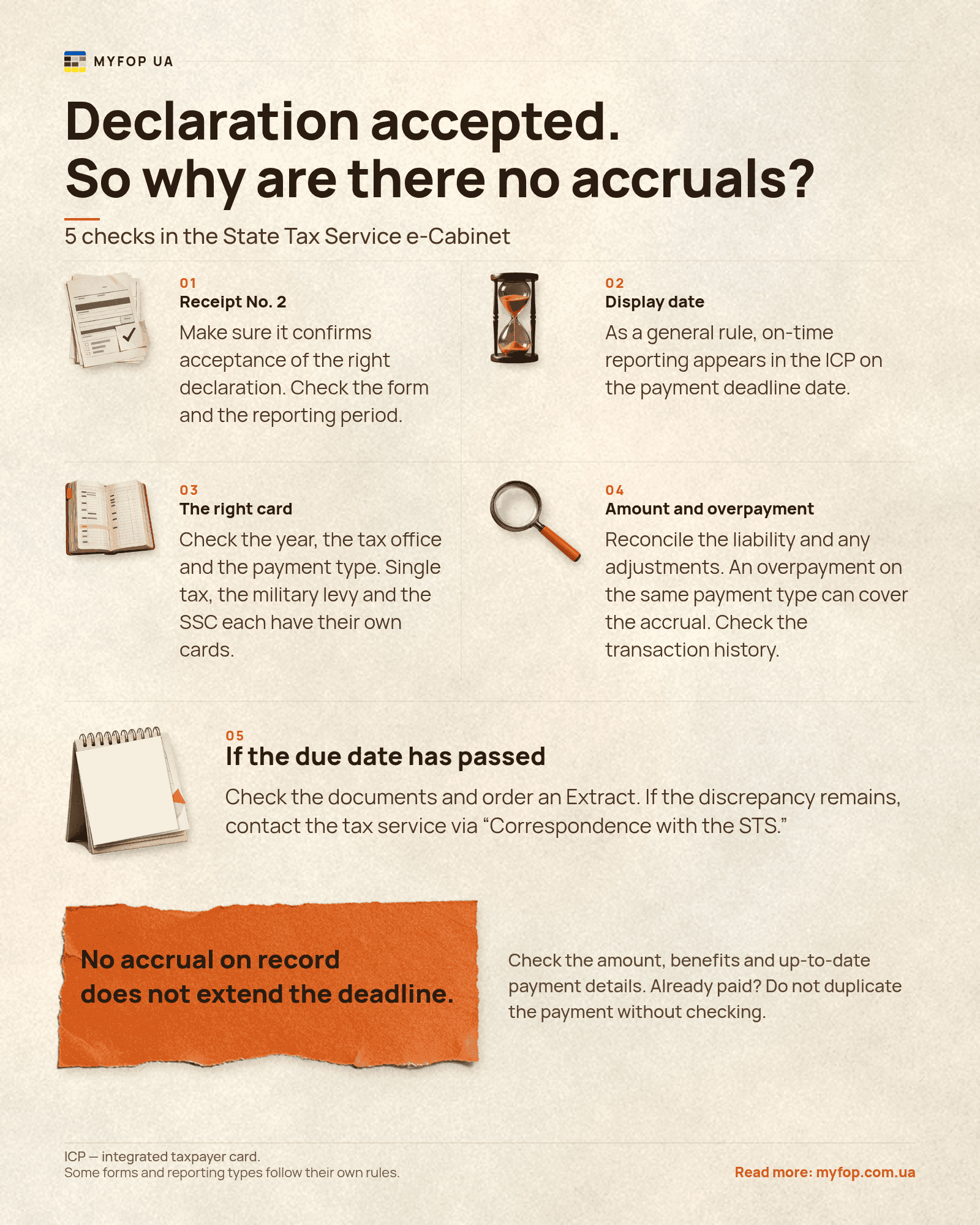
A missing accrual in the DPS e-Cabinet does not by itself extend the payment deadline. Follow the deadline set by law for your tax regime and payment, and separately confirm any lawful relief or exemption. This guide is current as of November 9, 2026.
Step 1. Confirm that the return was actually accepted
Receipt No. 1 records delivery and reports the result of the automated check. If that result is negative, it gives the rejection reason and receipt No. 2 is not generated. If the document passes that check, receipt No. 2 confirms acceptance or registration, or reports rejection during further processing. Open the receipt itself rather than relying only on a status label in filing software.
Match the tax identification number, form name and version, reporting period, document type — reporting, new reporting (звітна нова), or adjusting — and DPS office. If several copies of the same report were sent before the filing deadline, the original is the last correctly formed and accepted document for which a second receipt was issued.
Keep the submitted return and both receipts. They establish filing and timing, but diagnosing the accrual also requires the correct accounting date, payment card, and liability amount.
- receipt No. 1 does not report a negative automated-check result;
Step 2. Determine when the return should reach the IKP
The DPS does not set a universal promise such as an accrual appearing within 24 hours. The operational-accounting procedure ties reporting to a legally defined posting date, while an individual form may have its own algorithm for distributing figures.
First compare the filing date with both the filing deadline and the payment deadline. Then identify the return type. That combination determines whether the missing entry is still expected.
| Situation | IKP posting date | Practical meaning |
|---|---|---|
| Return filed on time | Statutory payment deadline | An accrual need not appear immediately after acceptance |
Step 3. Match the FOP group, payment, and reporting period
The same statement — no accrual after a return — means different things under different regimes. Do not apply group 3 quarterly logic to the monthly advance payments of groups 1 or 2, or apply the single-tax logic to SSC or personal income tax.
Match the liability for the relevant period rather than the total income since the start of the year. The underlying framework is covered in the guide to , while must be reviewed separately from single tax.
| Regime or payment | General logic | What to check |
|---|---|---|
| Single tax and military levy, groups 1–2 | Monthly advance payments; the return is generally annual |
Step 4. Open the correct year, DPS office, and payment card
Select the relevant year and, when necessary, DPS office in Tax Settlement Status. Then match the payment code and name. Single tax, military levy, SSC, personal income tax, and other payments have separate IKPs; an accrual in one card does not have to be repeated in another.
If the FOP changed tax address, has a non-main place of registration, or paid from an old template, review cards for the relevant offices. Current accounts depend on the territory and payment type, as explained in the guide to .
Do not decide from a summary figure alone. Open the selected IKP detail and look for the operation for the relevant period and the date determined in the previous step.
- the year filter matches the operation date;
- the main or relevant non-main DPS office is selected;
- the payment code and name match the return;
Step 5. Check the amount, corrections, and overpayment
An accepted return does not always create a positive accrual. It may report no liability, reflect a statutory exemption, reduce a prior figure, or contain a figure that is not the amount payable. For group 3, do not substitute cumulative income for the liability for the reporting period.
If a new reporting return or an adjusting return followed the original, reconcile the currently effective accepted document. An adjustment generally posts the difference between the old and corrected liability rather than repeating the full amount. Confirm that the correction did not reduce the expected accrual to zero.
Review any overpayment in the same payment card. If sufficient overpayment exists on the accrual date, it automatically settles that liability. No debt therefore does not mean the return was ignored. An overpayment for another tax is not transferred automatically without the required application.
The payment deadline has arrived but no accrual appears
Do not tie payment only to a button, debt, or accrual appearing in the interface. If the law creates an obligation and the amount can be established from the accepted return or advance-payment rules, pay it using the correct details by the legal deadline. Check upcoming dates in the .
For groups 1 and 2, single tax and military levy are monthly advance payments. For group 3, single tax and military levy are paid within ten calendar days after the statutory deadline for the quarterly return. SSC has its own deadline and exceptions. If the applicable relief or amount is uncertain, resolve that before the deadline rather than creating an arbitrary payment.
Keep proof that the bank executed the payment. If funds were already sent but the expected IKP remains empty, do not pay twice at random. First match the IBAN, beneficiary, payment code, territory, tax identification number, and nearby cards.
| Situation | Safe action |
|---|---|
How to obtain an Extract and contact the DPS
If the applicable date has passed, request a documented settlement snapshot. Create request J/F13002 in Applications and Information Requests; a FOP uses the F version. Depending on the selected format, the DPS provides, among others, Extract J/F14204 with summary figures or J/F14205 by payment type. Check the current form-version suffix in the official registry instead of copying one from an older instruction.
The Extract reaches the private e-Cabinet no later than the second working day after the territorial DPS office accepts the request. That is the deadline for producing the Extract, not a promise to correct an IKP error within two days.
If the Extract and IKP do not match the accepted return, send correspondence to the DPS office at the main or relevant non-main place of registration. Identify the tax, period, amount, form, filing date, and registration number, then describe the expected and displayed states. Attach the return, receipt No. 2, the Extract or saved IKP detail, and the payment document if payment was made.
Five-minute diagnostic checklist
Follow the sequence below instead of jumping straight to a duplicate payment or adjusting return. Each step rules out a different cause of the missing accrual.
- open receipt No. 2 and confirm the accepted result;
- match the form, document type, period, and latest accepted copy;
- determine the applicable IKP date from the payment deadline and return type;
- check the FOP group and separate tax or contribution;
- select the correct year, DPS office, code, and payment card;
- find the liability, adjustment, and overpayment in that same card;
Frequently asked questions
These answers describe the general rules as of November 9, 2026. For a specific liability, confirm the current form, your own IKP, tax regime, and statutory relief.
Does receipt No. 2 prove that the return was accepted?
Yes, if the receipt itself reports acceptance or registration. It confirms acceptance of the return, not immediate posting of an accrual to the IKP.
When does an accrual appear after a timely FOP return?
As a general rule, timely reporting is posted to the IKP on the statutory payment deadline. A form-specific posting algorithm may provide otherwise.
Must I pay if no accrual appears in the e-Cabinet?
A missing entry does not extend the statutory deadline. If an obligation exists and the amount is correctly established, pay it by the deadline using current details. Confirm any relief or exemption separately.
Why did a group 1 or 2 annual return not create the expected monthly amounts?
Single tax and military levy for these groups are monthly advance payments. Review each month, taxpayer status, the community-set single-tax rate, military-levy amount, relief, and the relevant cards rather than expecting the annual return to create every advance payment for the first time.
What happens after an adjusting return?
The figures are generally posted on the filing date unless the form algorithm provides otherwise, and the IKP records the difference between the old and corrected liability.
Bring the return, deadline, and DPS data into one review
MYFOP UA helps FOPs review accepted returns, deadlines, amounts, and DPS data through a qualified electronic signature. It does not file returns or make payments on your behalf; the receipts, IKP, and DPS Extract remain the official sources.
Review returns and taxes in one place
Create a MYFOP UA account, connect a qualified electronic signature, and reconcile accepted reports, deadlines, and tax data.